 Sentinel MCX
MCX Guardian
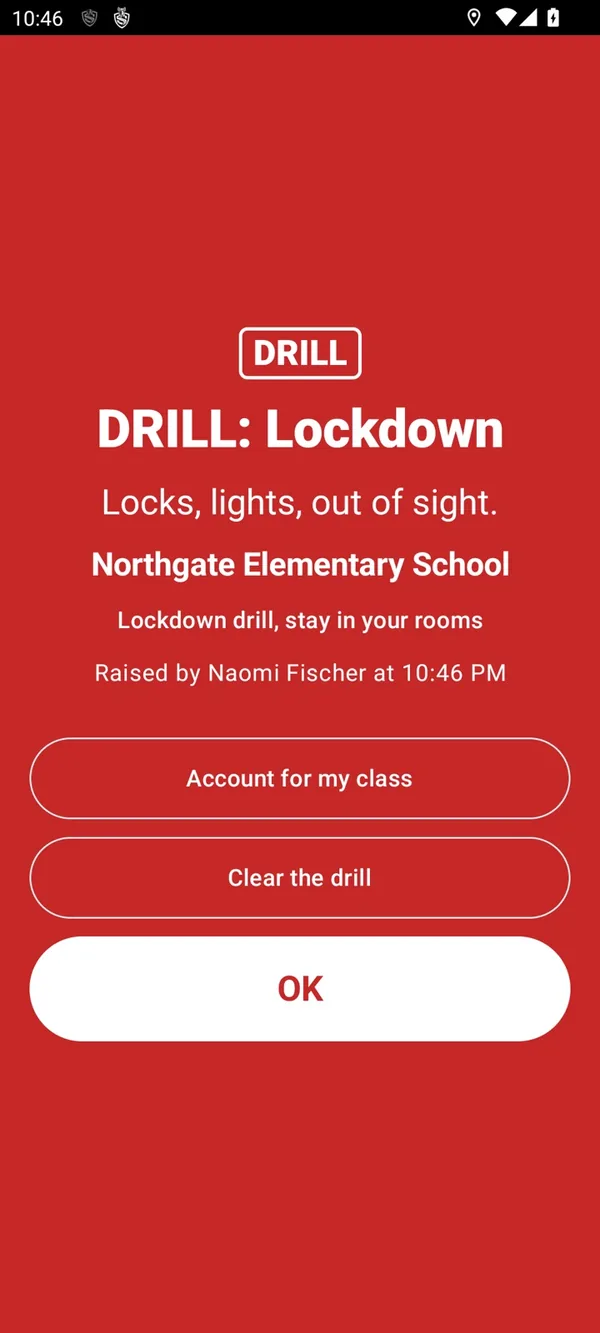
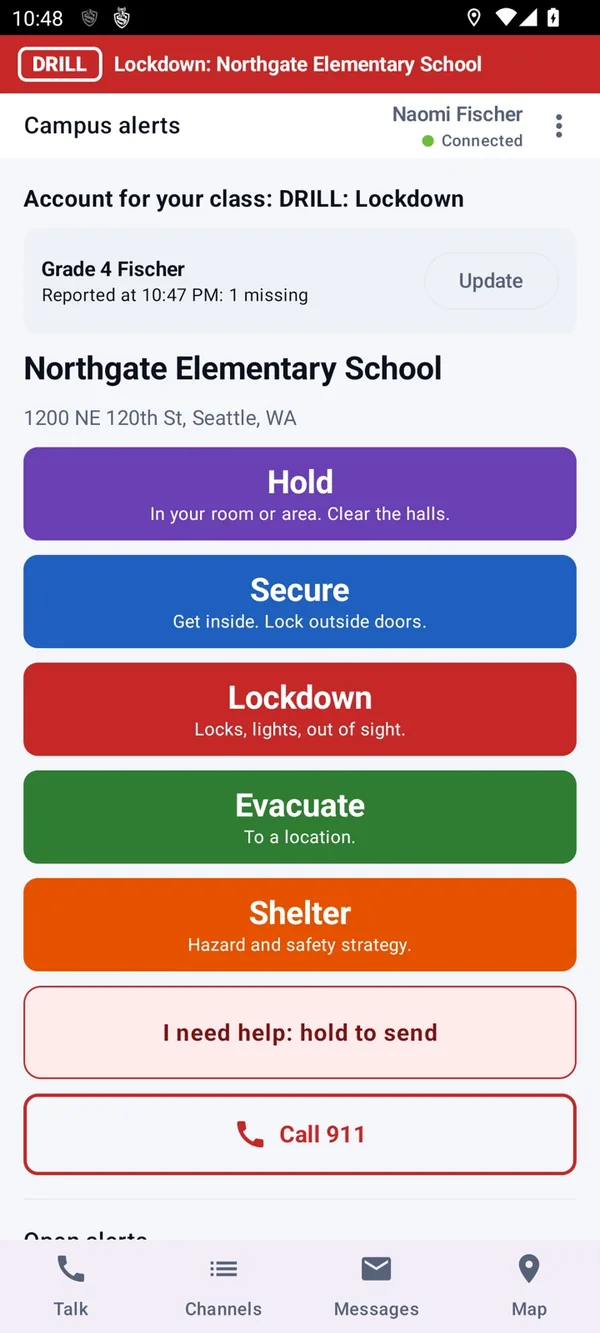
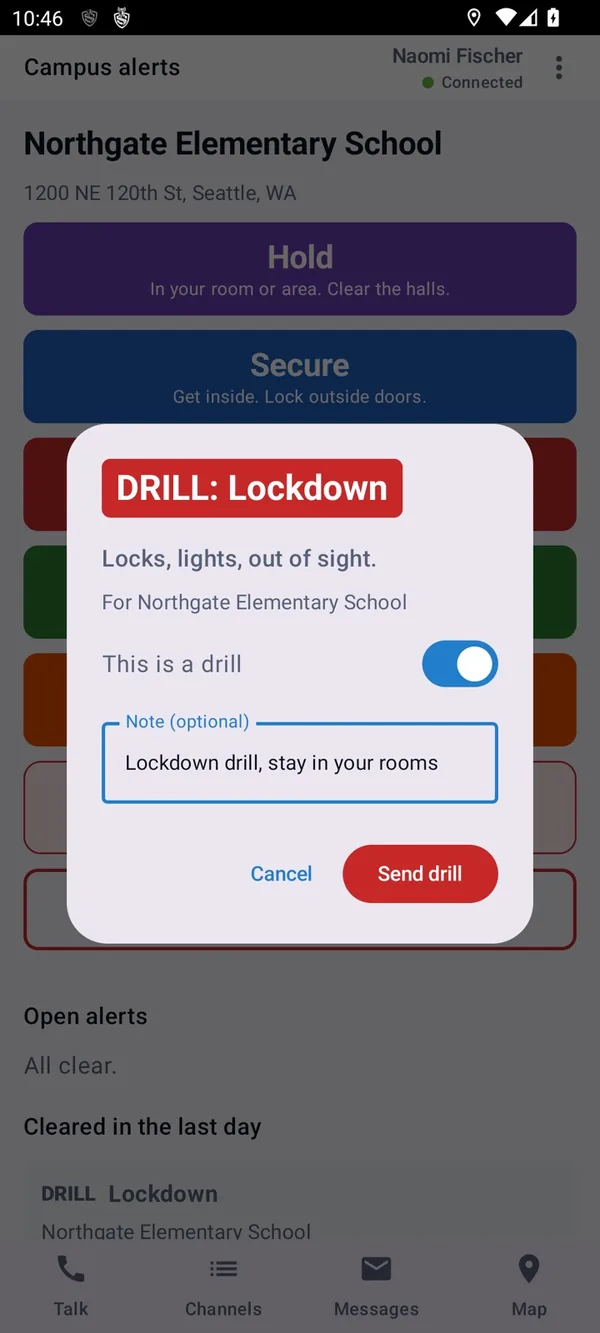
A lockdown raised from a teacher's phone.
MCX Guardian is the school safety part of Sentinel MCX. Staff raise an alert for their own building, everyone on site gets it at once, teachers account for their students, and the 911 center that serves the school sees all of it.
Five actions every school already drills
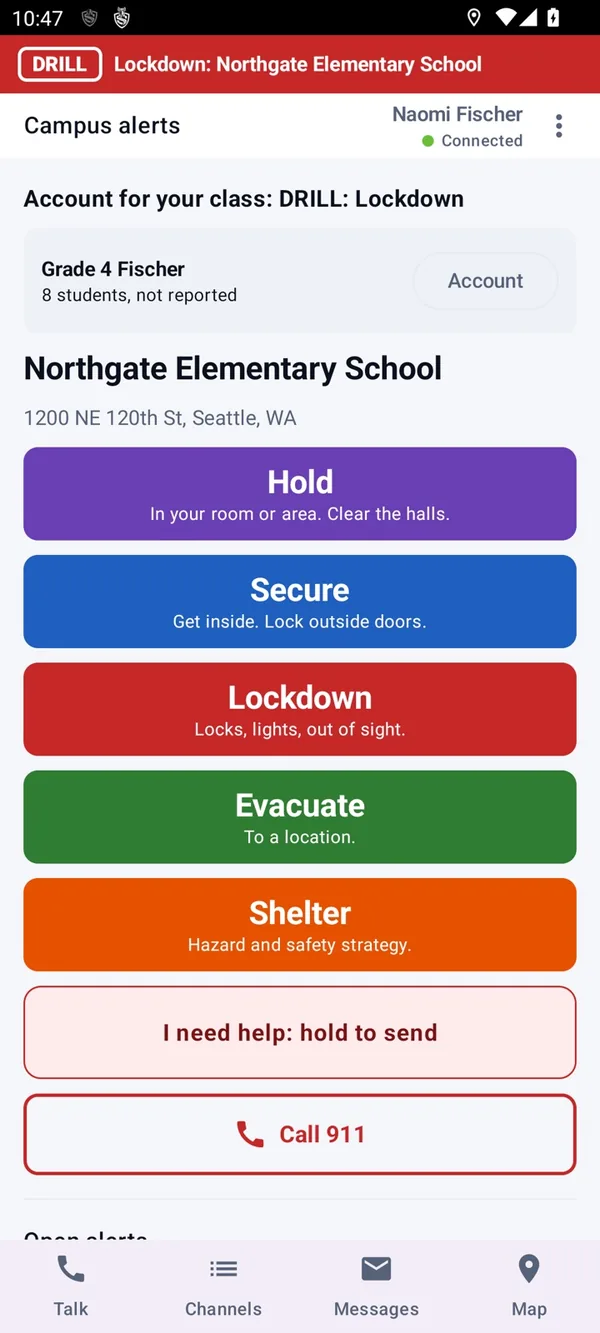
Guardian uses the Standard Response Protocol, the same five actions schools and responders already train on. A member of staff picks one for their site in the app, and the site's staff and dispatch get it together.
- Hold
- In your room or area. Clear the halls.
- Secure
- Get inside. Lock outside doors.
- Lockdown
- Locks, lights, out of sight. A Lockdown is silent on phones unless the school sets it otherwise.
- Evacuate
- To a location.
- Shelter
- Hazard and safety strategy.
- Who can raise a Lockdown
- Any staff member at the site unless the school narrows it.
- Drill mode
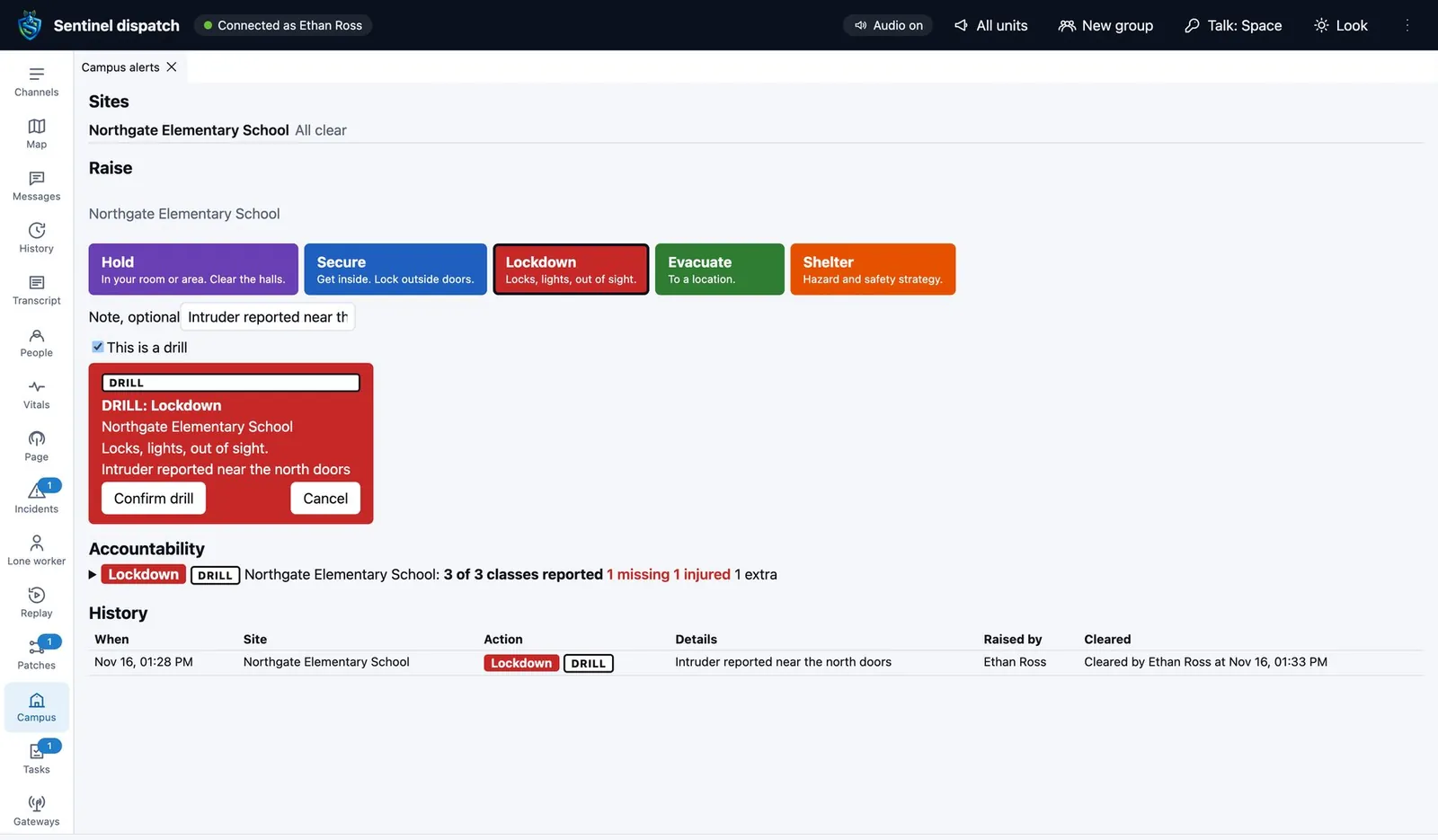
- Practice every action end to end, marked as a drill everywhere it appears.
- Call 911
- A Call 911 button sits beside I need help on the staff phone and opens the phone's own dialer. Guardian never places a 911 call itself.
- One building at a time
- An alert is for the site it is raised at, so a district with twelve schools does not lock down twelve.
The wording of the five actions is what staff see on the button. Guardian carries the action. Your school's plan says what staff do.
Who is here, who is missing, who is hurt
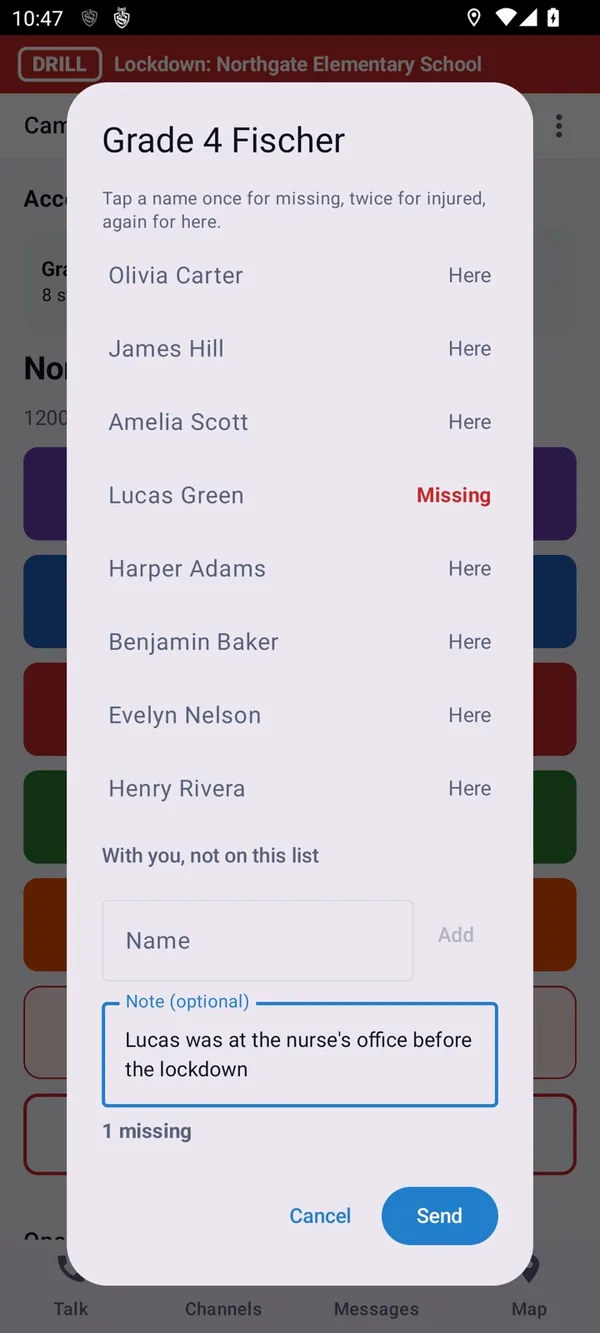
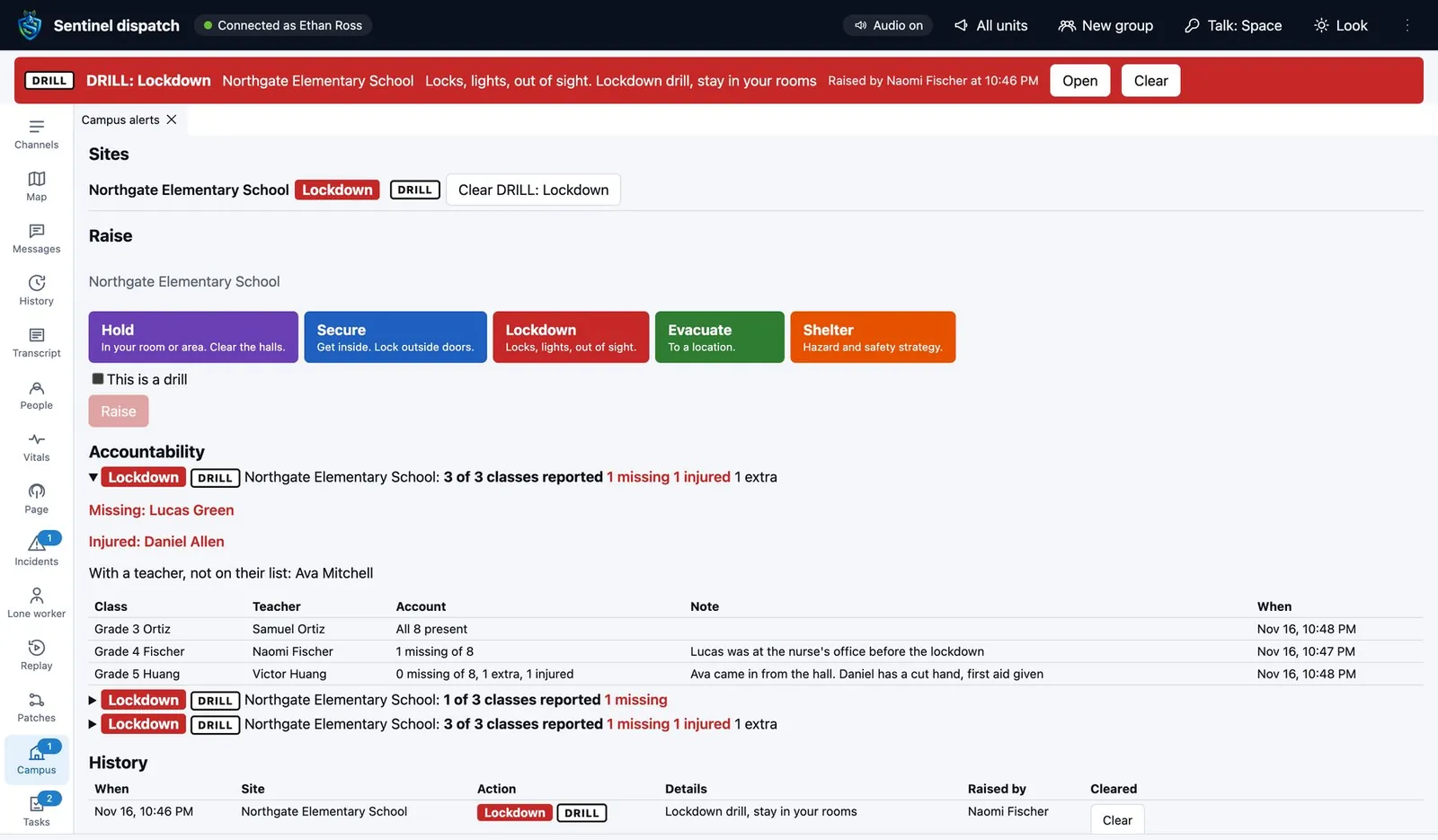
After an Evacuate or a Lockdown, each teacher reports on their class from their phone. Dispatch and the school office see the whole count come together.
- Class lists
- Loaded from a CSV file or a OneRoster export. Names only.
- Four answers
- Present, missing, extra and injured, for each student.
- One account
- Every class's report in one view, for the school and for dispatch.
- With another teacher
- A student who turns up in someone else's room is reported there and shows on the same account.
The building says it too
Not everyone is looking at a phone. An alert can also drive the lights, the speakers and the screens.
- Strobes
- IP strobes show a color and pattern for each action and for emergencies.
- Public address
- Announcements go out through IP paging speakers, by zone.
- Staff computers
- A desktop alert screen takes over staff computers for the site's alerts and emergencies.
- Panic badges
- Wearable badges raise a staff emergency with the room it came from.
- Room-level location
- Bluetooth beacons and Wi-Fi on the school's floor plans place people indoors.
- Other systems
- Alerts can be sent on to the 911 center's own dispatch software in standard formats.
A console for the 911 center, at no cost to the center
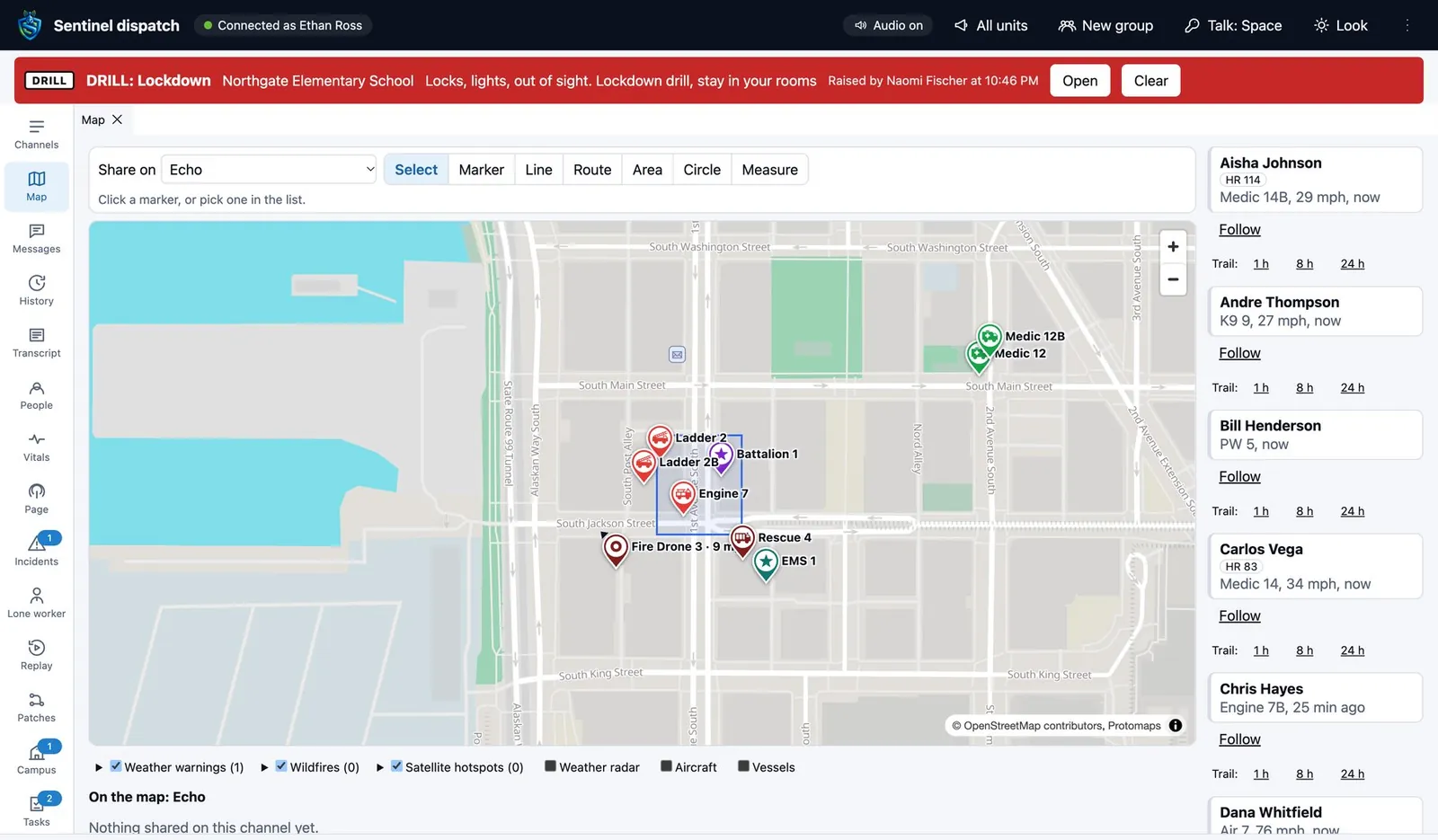
The 911 center that serves a school gets a dispatch console limited to the schools in its area. It shows their campus alerts, staff emergencies and roll call reports, and nothing from anyone else.
- What the center sees
- Who raised the alert, which building, which action and the account of students as it comes in.
- What it does not see
- Other agencies, other districts or the school's day-to-day channels.
- Impossible to miss
- An alert sits above every panel on the console until it is cleared.
- What it runs on
- A browser. It is the same console as MCX Dispatch.
For the emergencies that are one person, not the whole school
Guardian sits on MCX Mobile, so staff get everything a responder gets.
- I need help
- An emergency key held for two seconds, with live location sent to dispatch.
- Talk
- Push-to-talk channels for the office, the bus fleet and the grounds crew, on phones or radios.
- Languages
- Each person hears others in their own language.
- Panic badges
- For staff without a phone in hand, a wearable badge raises the same emergency with the room it came from.
Run a drill with us
In a 30 minute demo we raise each alert in drill mode and account for a class.