 Sentinel MCX
MCX Manage
Every radio set up, locked down and looked after.
MCX Manage is an Android device manager built for push-to-talk fleets. It handles rugged handsets with and without Google services, keypad and screenless radios, vehicle radios and phones from one web console, and it does the things a general device manager does not.
From the box to the first call
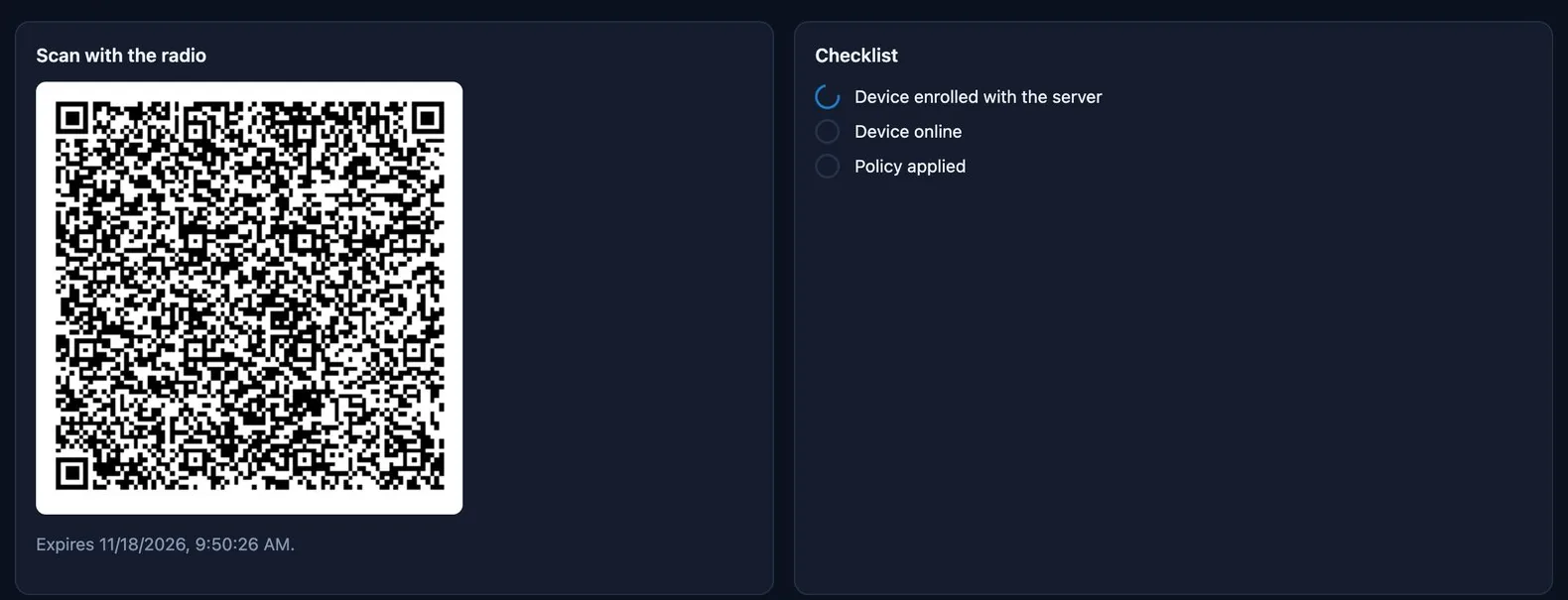
A technician enrolls a radio in a few steps, whether it has a screen and camera, only a keypad or no screen at all. Every path ends the same way: the radio gets its own certificate, connects, applies its policy, installs its apps and signs in to talk.
- QR code
- Factory reset the radio, tap the welcome screen six times and scan. Codes work once and expire after 24 hours.
- USB from the browser
- Plug a screenless radio into the technician's computer and enroll it from Chrome or Edge. Nothing to install on the computer.
- Built into the firmware
- A manufacturer can preload the agent. The radio enrolls itself on first boot once its IMEI has been staged.
- Hundreds at once
- A CSV of IMEIs or SIM numbers with agency, policy, name and talk user prepares a whole order.
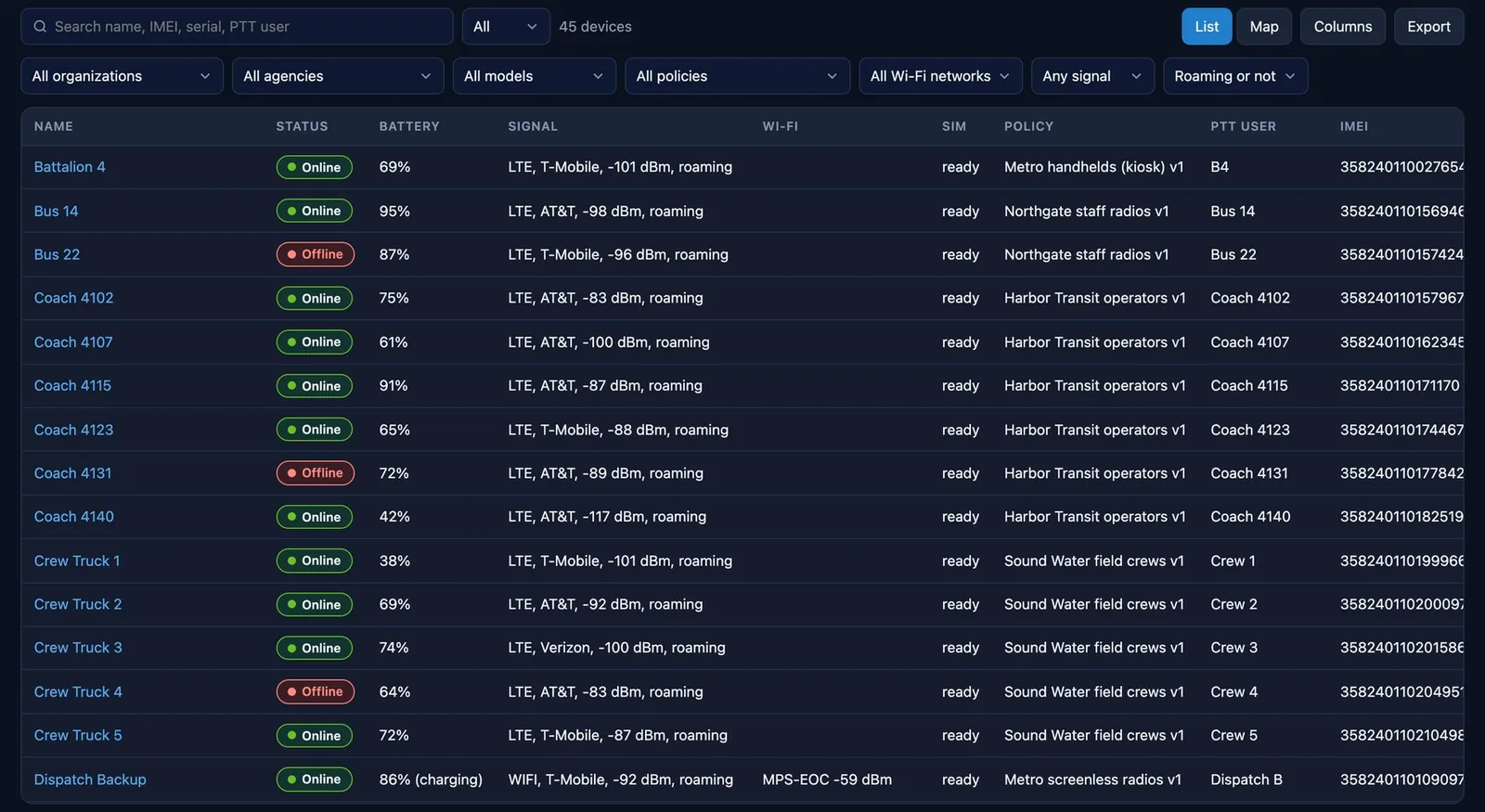
Everything about one radio on one page
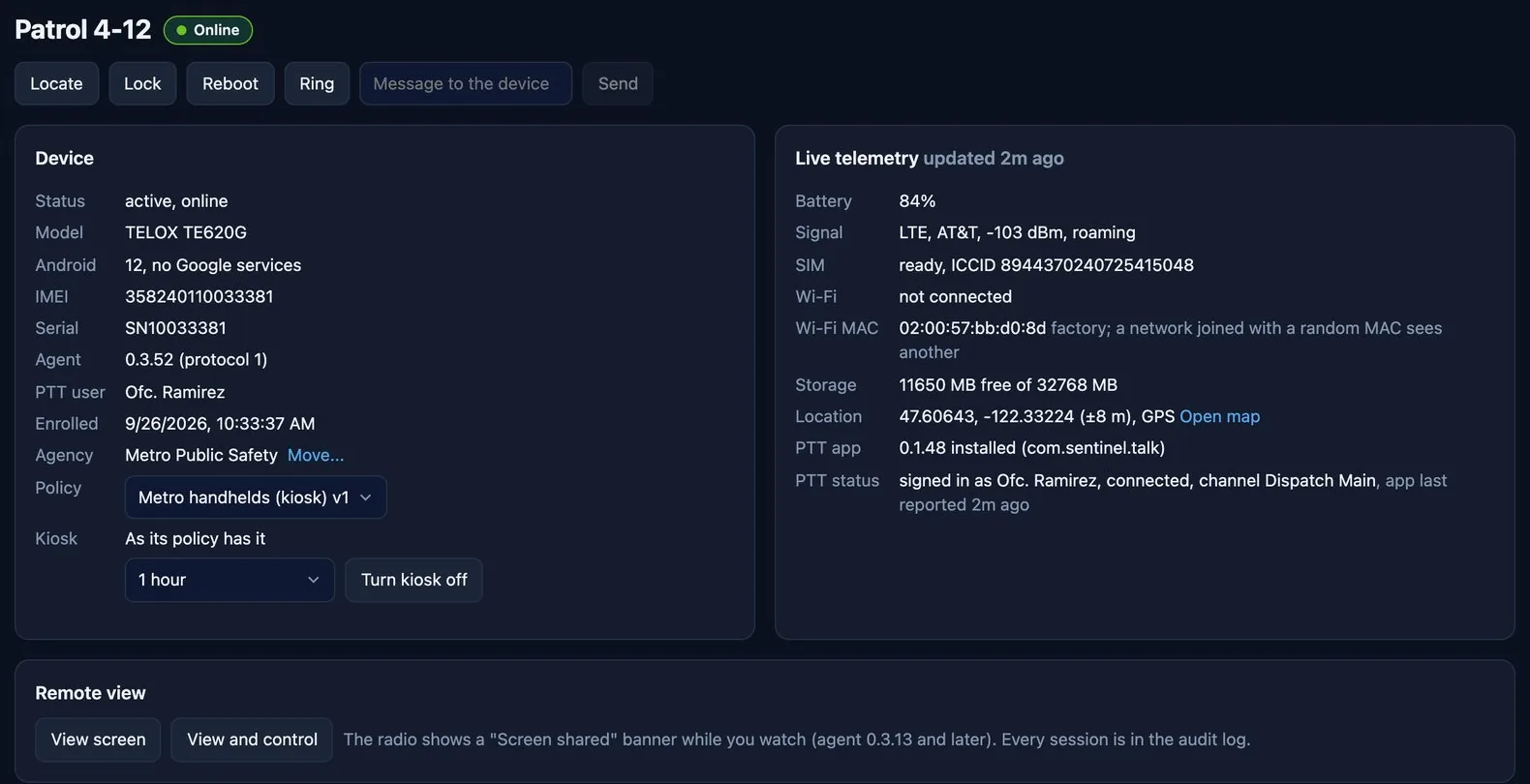
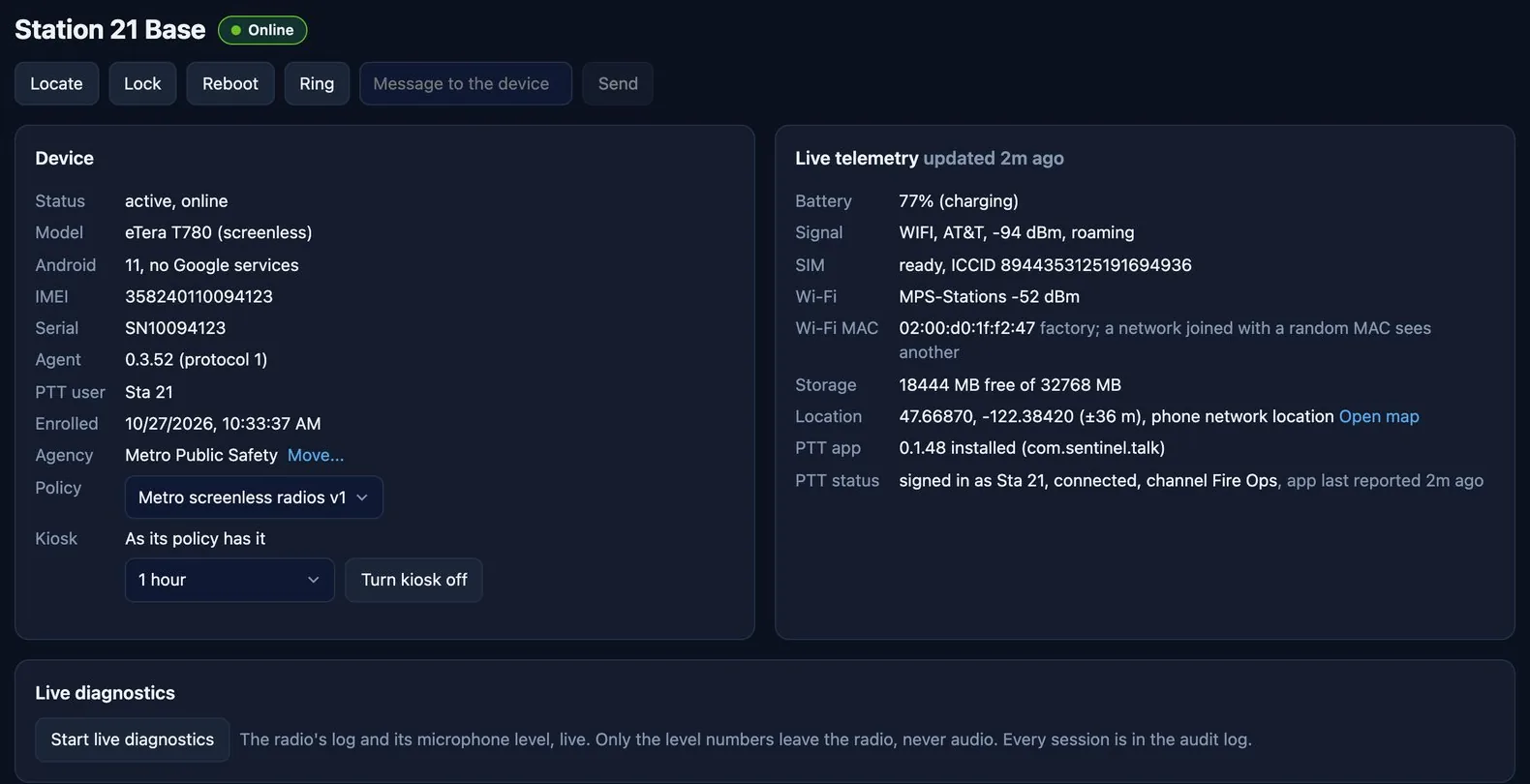
Its state, live telemetry, talk app status, commands and history. A command sent to a radio that is offline waits for it to come back.
- Telemetry
- Every 5 minutes and on change: battery, signal strength and quality, roaming, SIM, Wi-Fi, storage, app versions, location, accessories and firmware build.
- Remote view and control
- See and work the radio's screen from the browser. The radio shows a banner, and the session pauses while talk audio plays.
- Commands
- Locate, lock, reboot, ring, set volume, send a message, pair an accessory and wipe, with a second confirmation and a delay to cancel.
- Daily history
- Battery and signal for each of the last 30 days, so a slow problem shows up.
- Device logs
- Ask a radio for its full log. It arrives as one file at the next connection.
- Bluetooth
- Scan for, pair and unpair speaker mics and headsets from the console.
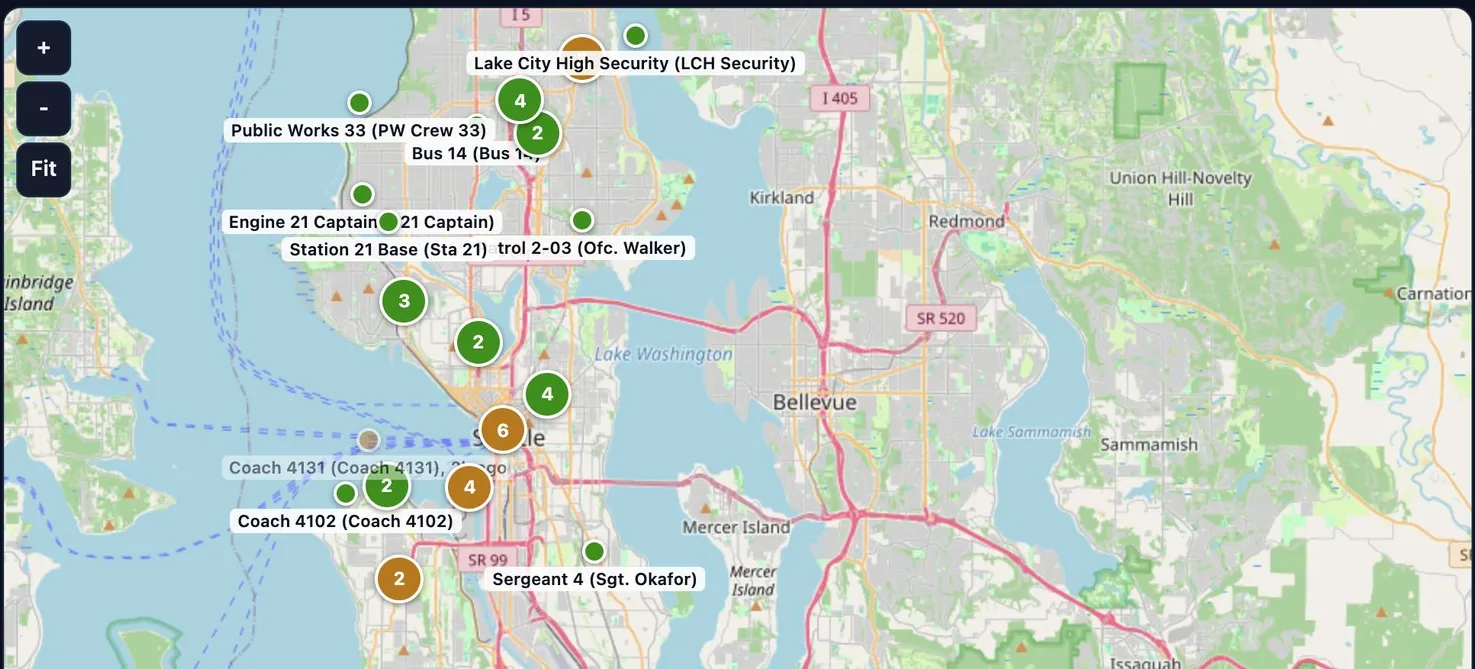
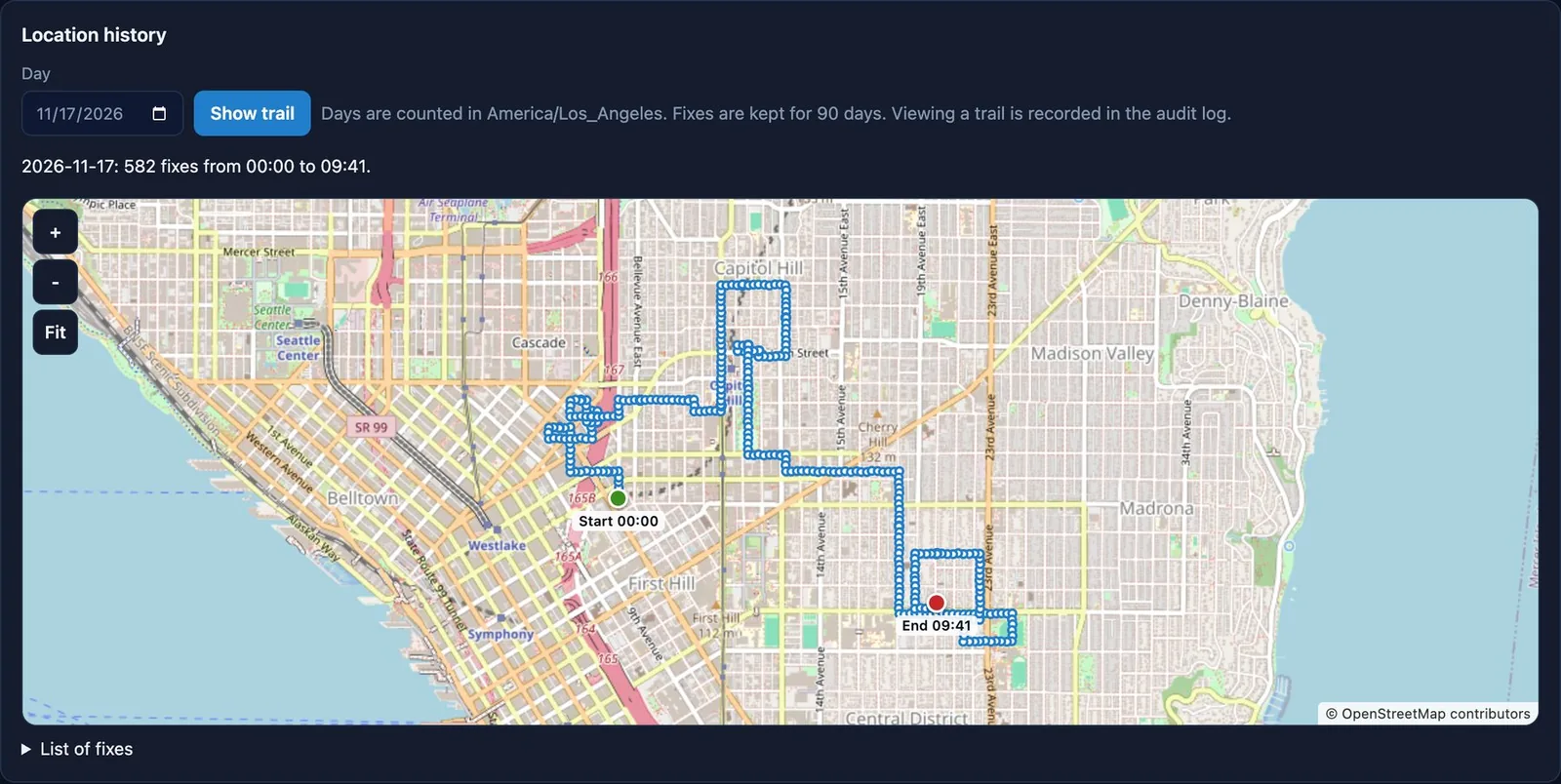
Positions for radios that have no Google services
A radio without Google services has no network location of its own. The server works out a position from the cell it is on and the Wi-Fi it can hear and hands it back, so the talk app's map works indoors and wherever GPS is blocked.
A policy is everything a radio should be
Its apps, kiosk, keys, settings, networks and update rules. Change the policy and every radio on it follows within seconds. The agent applies it again every hour and after every reboot.
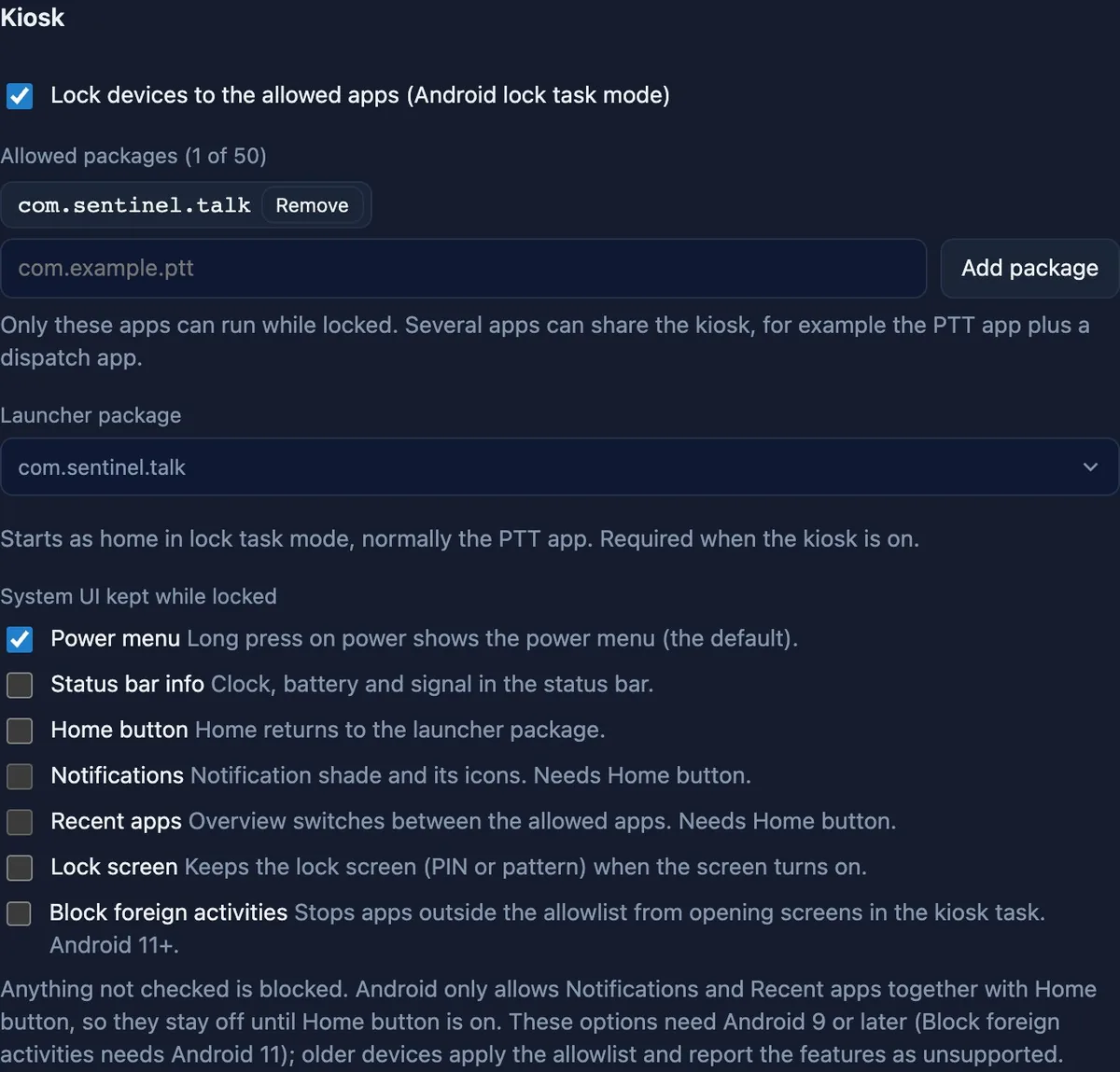
- Kiosk
- Lock a radio to the talk app, or to the talk app and one or two others. If a radio gets out, the agent brings the app back and raises an alert.
- Kiosk off for one radio
- Lift it on a single radio for 1, 4 or 24 hours without touching the policy. It turns itself back on.
- Keys
- Map side keys, programmable keys and knobs for each model. Talk and SOS stay with the talk app, so talking never depends on the manager.
- Restrictions
- Camera, USB, factory reset, safe mode, app installs, Bluetooth, tethering and developer options.
- Never silent
- A volume floor raises a radio back up whenever it is turned down too far.
- Apps and firmware in rings
- New versions go to a pilot group, then beta, then everyone. Nothing installs while talk audio is playing.

On the strongest network it can reach
Fleet SIMs often roam on several carriers, and a radio will hold on to a weak one until it loses coverage completely. MCX Manage moves it sooner.
- Carrier selection
- When the serving network stays weak, the radio scans and moves to a clearly stronger one. Limits stop it bouncing back and forth, and it never switches during a call.
- Wi-Fi to cellular
- The talk app moves to cellular when Wi-Fi turns weak and back after a hold time, between transmissions only.
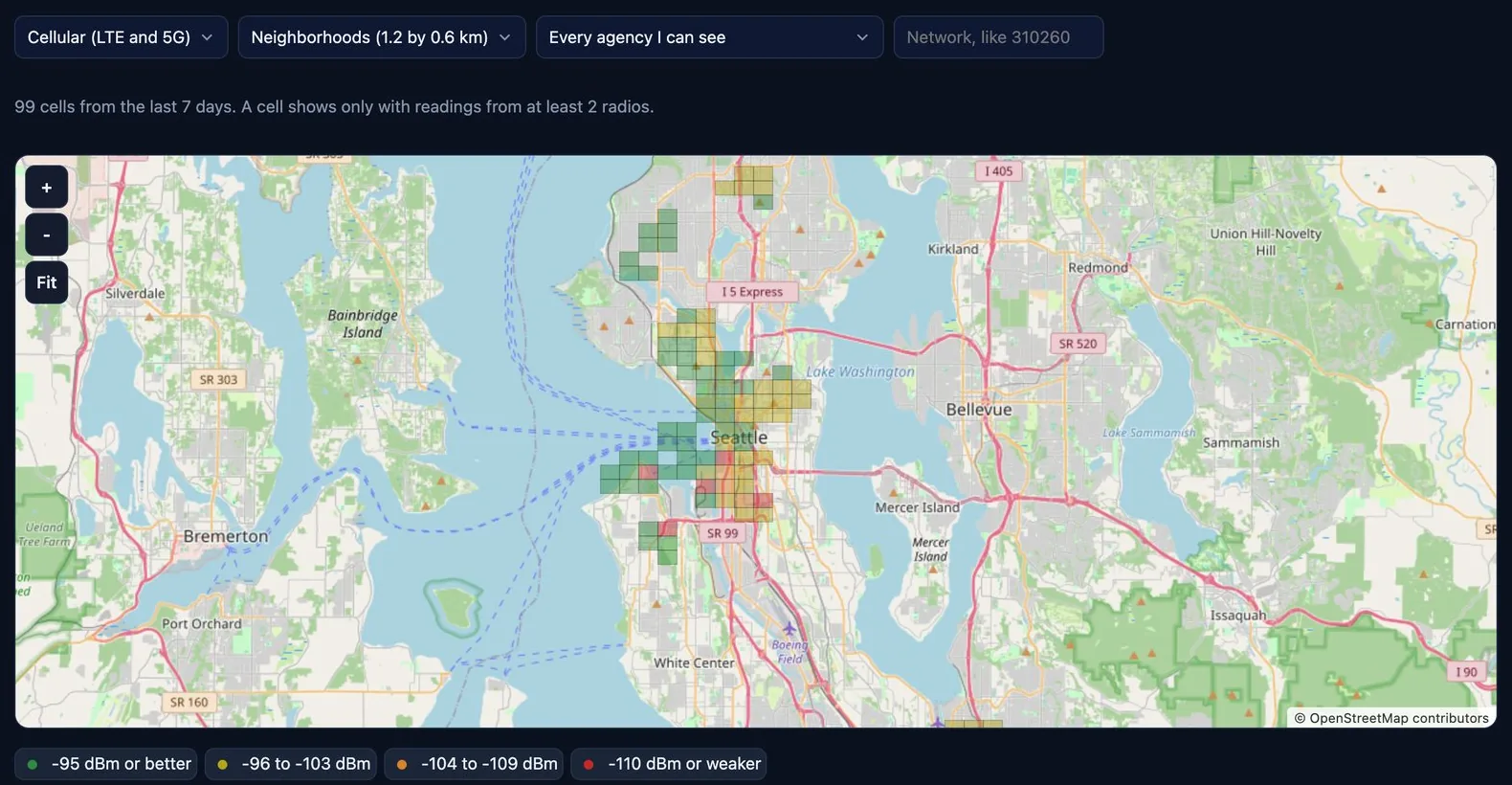
- Coverage map
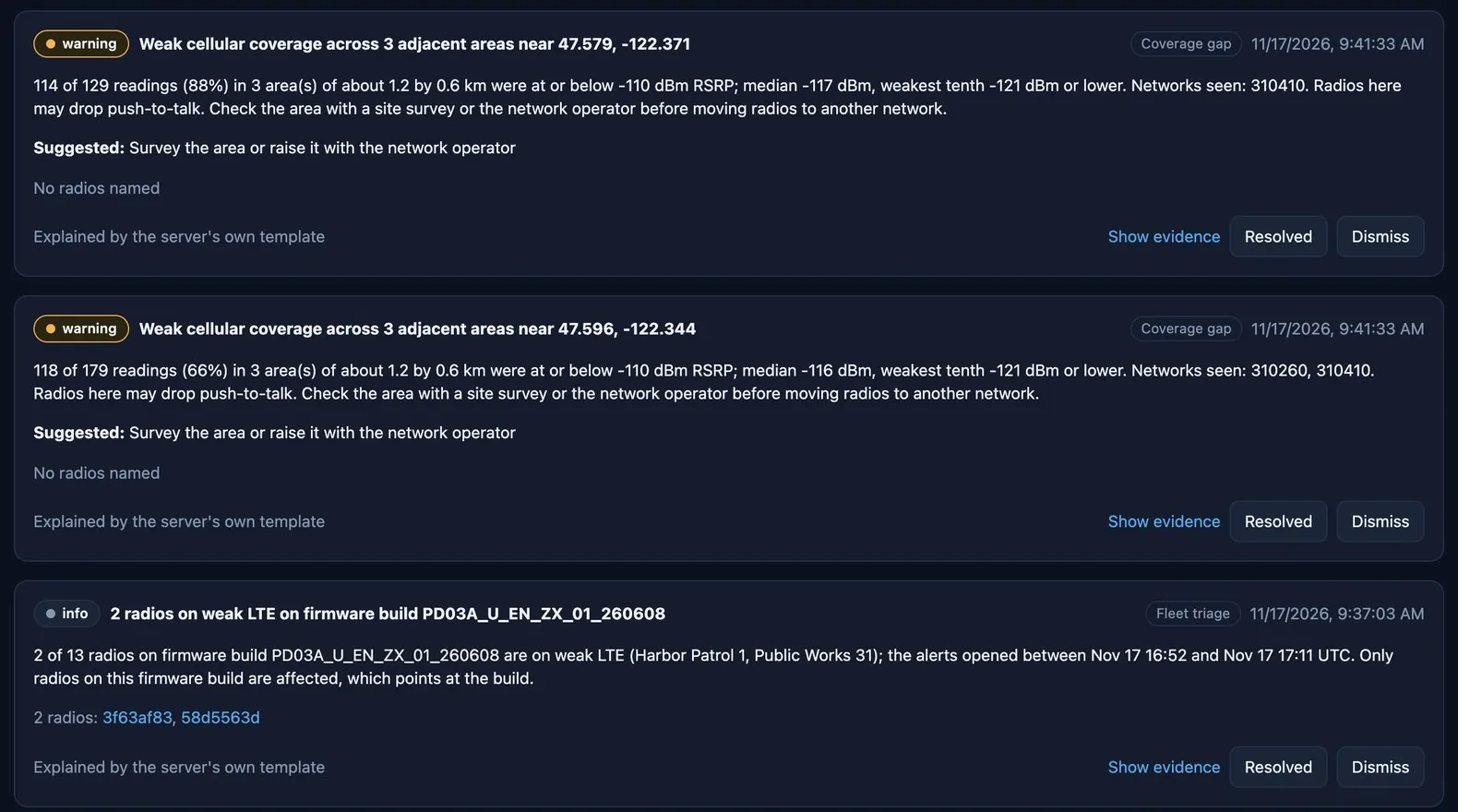
- Every radio measures the network wherever it goes. The readings become a coverage map of your own area, with the weak spots listed.
- SIM management
- Plan, usage and cost beside each radio, with limits, a lock to the radio's IMEI and usage alerts.

Problems found before the shift finds them
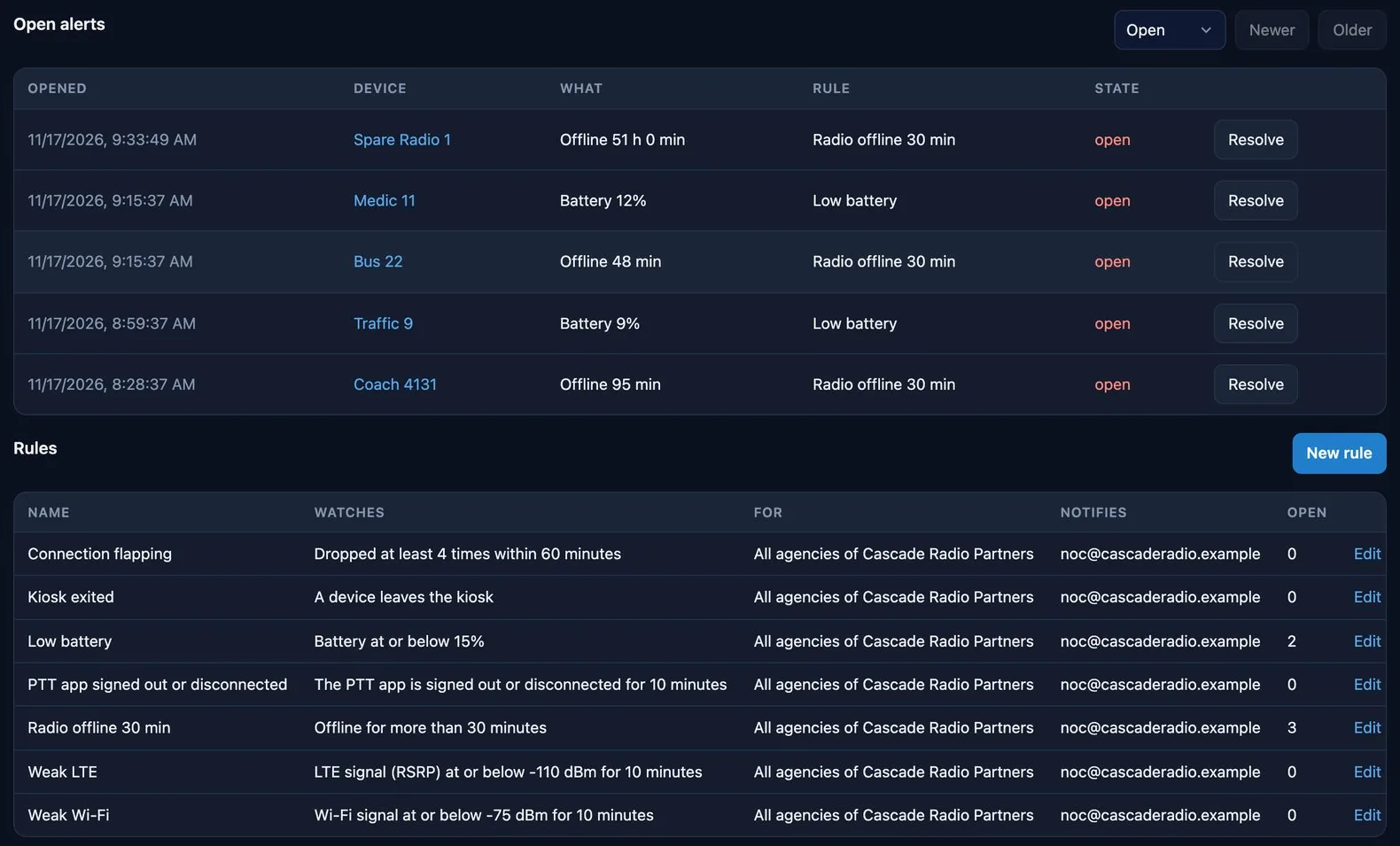
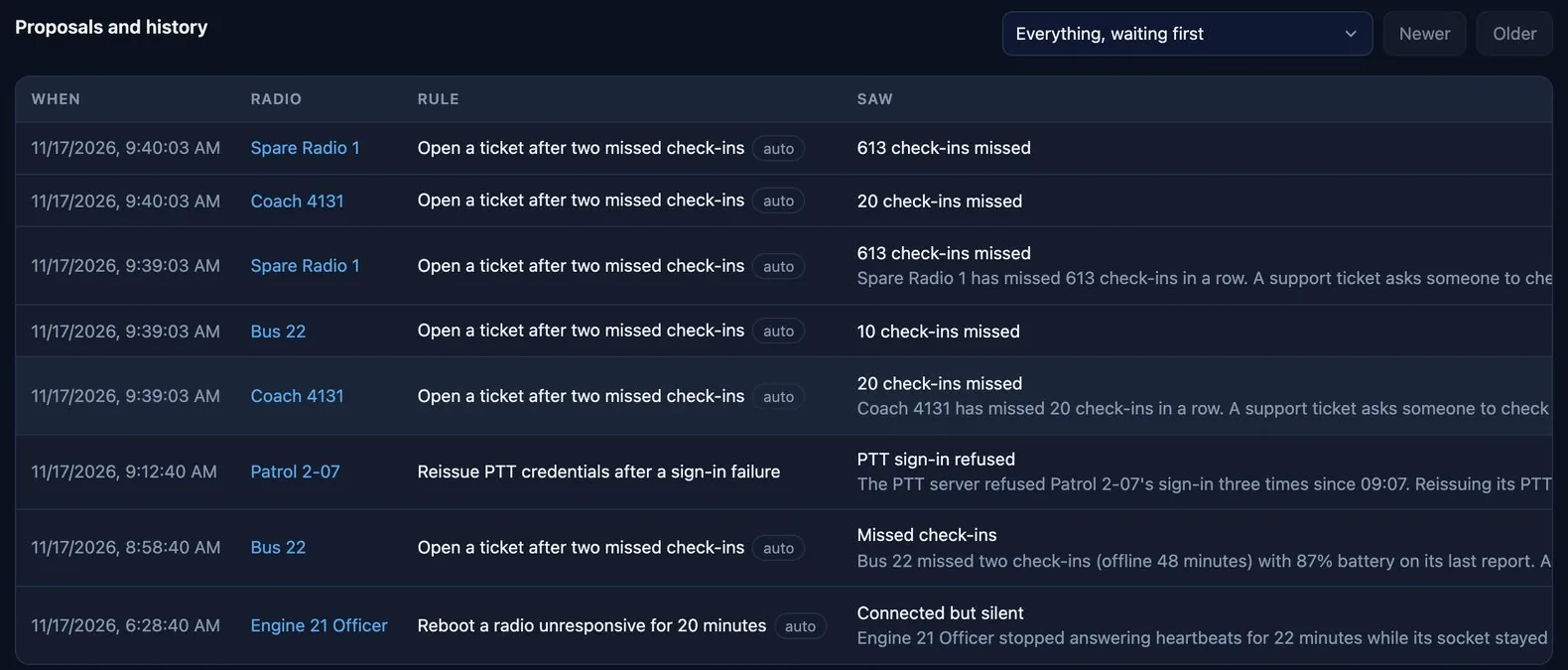
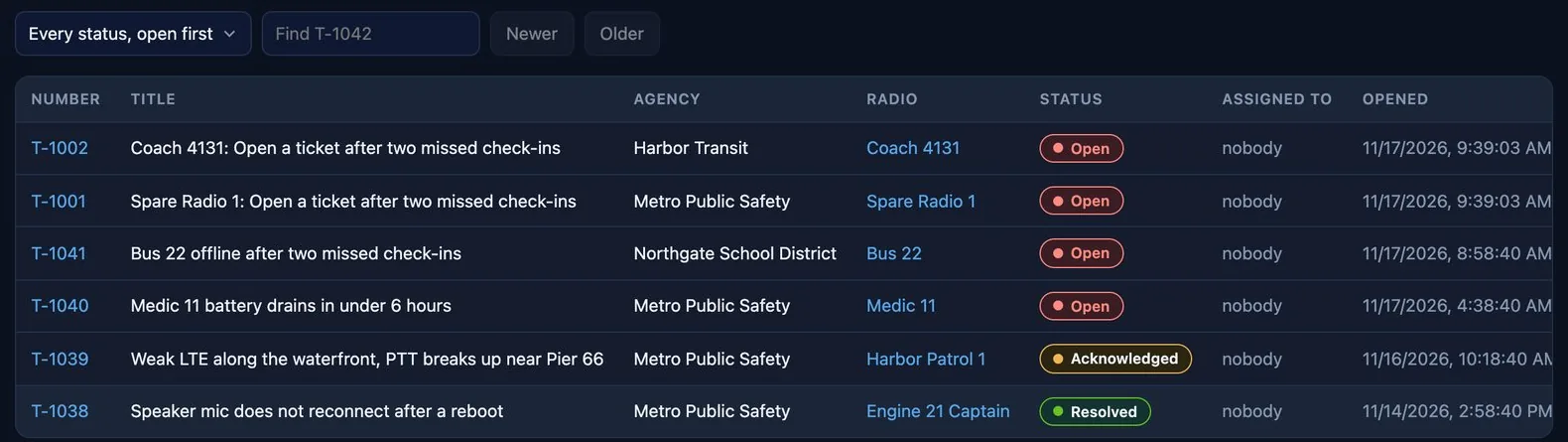
Alert rules check the fleet every minute. Insights read the fleet's own data to explain what is wrong and what is about to be. Anything they propose waits for a person to confirm it.
- Alert kinds
- Low battery, offline, SIM data use, kiosk exited, weak LTE, weak Wi-Fi, talk app signed out and a connection that keeps dropping.
- Predicted failures
- Each radio is scored from its battery, charging, reboots and signal, so it can be swapped before it fails on shift.
- Ask
- Questions about the fleet in plain English, answered from data the person asking may already see.
Built so dealers can run it themselves
One server serves dealers and the agencies they look after. Each sees only its own radios, and a dealer provisions and supports its own customers.
- Roles
- Administrator, technician and read-only viewer, enforced on the server.
- Any talk app
- The talk app and its server are settings for each agency. MCX Mobile is supported most deeply.
- Moving radios
- Radios move between agencies, talk servers and even management servers without a factory reset.
- Your brand
- A provider running its own server puts its name, colors and logo on the console, the sign-in page and the alert emails.
- Hosted or your own
- We host it, or you run it on your own server, with a standby that takes over with no change on the radios.
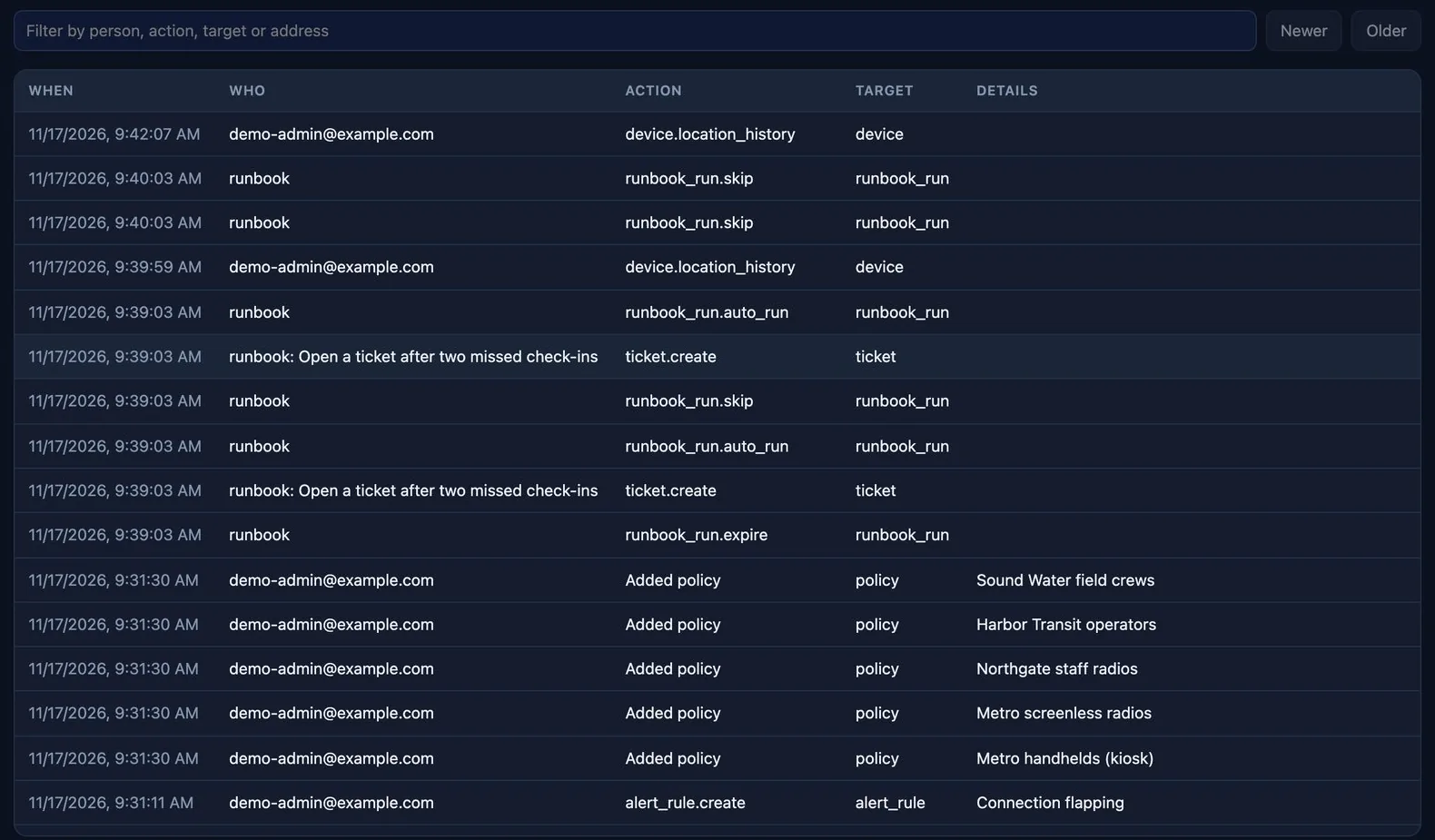
A device manager can reach every radio, so trust came first
- Each radio has its own key
- Made on the radio and kept in secure hardware where the chip allows. Both ends prove who they are on every connection.
- Two-step sign-in
- A password and an authenticator code for every console role.
- Secrets stay secret
- Talk, SIM and Wi-Fi passwords are stored encrypted, can be written but not read back, and never appear in the audit log.
- Destructive actions wait
- Wipe and SIM disable need a second confirmation and hold for 60 seconds with a cancel button.
- Never off the air
- Updates wait for talk audio to end, and a lapsed license never stops the kiosk or telemetry.
- Tested radios
- INRICO IRC390, Telox TE320 and TE620G, eTera T780 and Android phones on Android 9 or later. The agent runs on Android 8 and later.
Watch a radio enroll itself
In a 30 minute demo we enroll a radio, lock it to the talk app and find it on the fleet map.